Android APK iOS Support Safe Download Fast Load Push Notifications

Download the 578 app — the best mobile gaming experience on Android and iOS, right in the palm of your hand

Anytime, anywhere — use the 578 app to play casino games, place sports bets, make deposits, and claim bonuses. Small file size, fast performance.

5,000,000+
Download
4.8 ★
User Rating
24/7
Support
578

Download the App

Latest Version v3.2.1

Android APK

Download the APK file directly and install it. No Google Play Store required.

File Size
32 MB
Android
5.0+
Update
June 2026
Language
Bengali
Android APK Download
Virus-Free, Safe File
iOS 13.0+ supported

IPhone / iPad

IPhone or iPad users can add the web app in Safari or follow the guide below.

File Size
38 MB
iOS
13.0+
Update
June 2026
Language
Bengali
View iOS Guide
Add to Home Screen from Safari
578

Key Features of the 578 App

Fast Loading

Loads much faster than a browser. Games launch in just a few seconds.

Push Notifications

Get the latest news on bonuses, tournaments, and promotions delivered straight to your phone.

Fingerprint Login

No need to remember your password — log in instantly with your fingerprint.

Low data usage

The 578 app runs smoothly even on weak network connections, with minimal data usage.

Secure Encryption

Protected by SSL encryption — your personal data and transactions are completely secure.

Instant Payments

Mobile Banking, Nagad, Rocket — deposits complete in seconds from any payment app.

Bengali Interface

The entire app is in Bengali. Menus, instructions, support — everything in your mother tongue.

Dark mode

Easily switch on dark mode for a more comfortable viewing experience when playing at night.

How do I install it?

Android Installation Guide

1
Download APK

Tap the "Download Android APK" button above. The file will be saved to your phone.

2
Enable Unknown Sources

Go to Settings → Security → Unknown Sources and turn it on. You only need to do this once.

3
Open the APK file

Go to your Downloads folder, tap the 578.apk file, and select Install.

4
Start Playing

Once installed, you'll see the icon on your home screen. Tap it and log in.

iOS Installation Guide (Safari PWA)

1
Open Safari

Open Safari on your iPhone or iPad and go to 578.onl.

2
Tap the Share button

Tap the Share icon in the bottom toolbar — it looks like a box with an arrow pointing up.

3
"Add to Home Screen"

Select "Add to Home Screen" from the menu, then tap Add.

4
Use It Like an App

You can now use 578 in fullscreen mode directly from your home screen.

578

About the 578 App

Demand for mobile online gaming is growing every day. In Bangladesh especially, where most people access the internet on smartphones, having a reliable mobile app is essential. 578 understands this reality — and built their app with Bangladeshi users in mind, tailored to the local experience.

Many people assume a mobile app won't have all the features of the website — but that's simply not the case with 578. Everything available on desktop is available in the app: casino games, Sports Betting, Live Dealer, deposits, withdrawals, bonus claims, and support chat.

Is the app really safe?

It's a fair question — downloading an unfamiliar APK can feel risky. The 578 app is completely safe. Every APK file is verified with a digital signature, and you can check the SHA-256 checksum yourself before installing. All data within the app is protected by SSL/TLS encryption, so no third party can access your information.

578 regularly releases app updates that include security patches, so it's always recommended to use the latest version. You'll receive update notifications from within the app and can update in just one tap.

Will it run on a budget phone?

Not everyone has a high-end smartphone, and 578 gets that. The app is designed with mid-range and budget devices in mind. It runs on any Android 5.0 or higher device, and basic functions work with as little as 1 GB of RAM. At just 32 MB, it won't take up much of your phone's storage either.

That said, for the best experience with Live Dealer games or HD slots, a slightly better device will make a noticeable difference. The 578 app runs smoothly on most phones from 2018 onwards.

What games are available on the app?

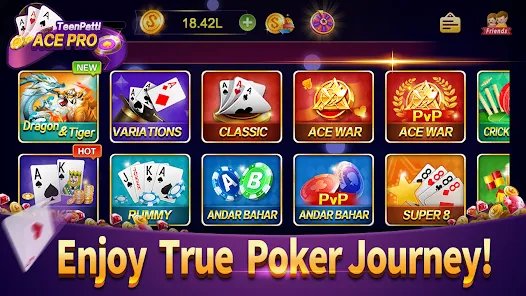
The 578 app has no shortage of games — over 1,000 titles playable directly from the app. Slots, Live Baccarat, Live Roulette, Blackjack, table games, fishing games, and much more. The Sports section lets you place live bets on cricket, football, kabaddi, tennis, and sporting events from around the world.

Popular Bangladeshi games like Teen Patti, Andar Bahar, and a variety of local card games are also available on the 578 app. They can be played in real time with a live dealer — just like sitting at a real table.

How easy are payments and withdrawals?

Making payments through the app is genuinely simple. You can pay directly from Mobile Banking or Nagad into 578 in just a few taps — no need to open a separate browser or copy account numbers. The entire process happens within the app.

Withdrawals are just as easy. Go to the Wallet section in the app, enter the amount, choose your payment method, and the funds will arrive in your mobile banking account shortly. VIP members enjoy instant withdrawals.

App-Exclusive Offers

There are exclusive offers for app users that are not available on the website. Every week, app-only free spins, special deposit bonuses, and flash deals are sent via push notifications — available for only a few hours. Regular app users are making the most of these perks.

All in all, the 578 app is more than just a mobile client — it's a complete gaming platform that turns your phone into a portable casino. Once you try it, you won't want to go back to the website.

User Rating
4.8
★★★★★
Based on 50,000+ reviews
Performance
Security
Design
Support
Technical Details
Version V3.2.1
Android 5.0+
IOS 13.0+
APK size 32 MB
Language Bangla, EN
Update June 2026
Need Help?

If you run into any issues during installation or have questions, our team is always ready to help.

Quick Links
Download Page Promotions Deposit Casino Sports
578

Frequently Asked Questions

Yes, the 578 app is completely free to download and install. There are no charges for either the Android APK or iOS version. Simply download it, install it, and log in with your 578 account.

To install apps outside the Google Play Store on Android, you need to allow "Unknown Sources" or "Install Unknown Apps" — this is a built-in Android security feature. Once the 578 APK is installed, you can turn this setting back off if you prefer. The file is completely safe and digitally certified.

When a new update is available, you'll see a notification inside the app and can update directly from there. You can also download the latest APK from the 578 download page and install it without losing any existing data.

Yes, the app and website share the same account. No separate registration is needed. Your balance, bonuses, and transaction history are all synced across both platforms.

While there is no separate App Store listing, iPhone users can add 578.onl to their home screen via Safari and use it as a PWA. It works much like a native app — with fullscreen mode, offline support, and fast loading.

Yes, 578 app users occasionally receive exclusive app-only bonuses that are not available on the website. Keep push notifications enabled to get instant updates on flash deals and special offers. Check the promotions page regularly.

Download the 578 app now — play anytime, anywhere

Get the full 578 experience on mobile. Casino, Sports, live games, deposits, withdrawals — all in one place. Register today and claim your 100% welcome bonus.

Android and iOS
Completely Free
Play Responsibly

578 is committed to responsible gaming. The app lets you set session limits and deposit limits. This platform is not intended for anyone under 18. For more information, visit our Responsible Gaming page.

বাংলা